

WORKFLOW & OPERATIONS
Run your business, not just your jobs
Juggling tools, tasks, and processes isn’t why you started this.
There are lots of apps on the market to take care of the things you do every day.
We’ve put all the important things in one place. One system, doing the heavy lifting.
Nettl connects everything
From proposals and projects to billing, file handling, and automation – Nettl connects everything behind the scenes so your team works smarter, not harder.
Less admin. Less switching tools. More getting things done.

Client portals

Data-driven visibility

Automate Reordering

Workflow prompts
Build the platform your business needs
Use a bundled package or pick and choose the modules that suit your agency. The system can scale up as you grow.
Create proposals that convert
Stop staring at a blank page or rewriting the same thing again.
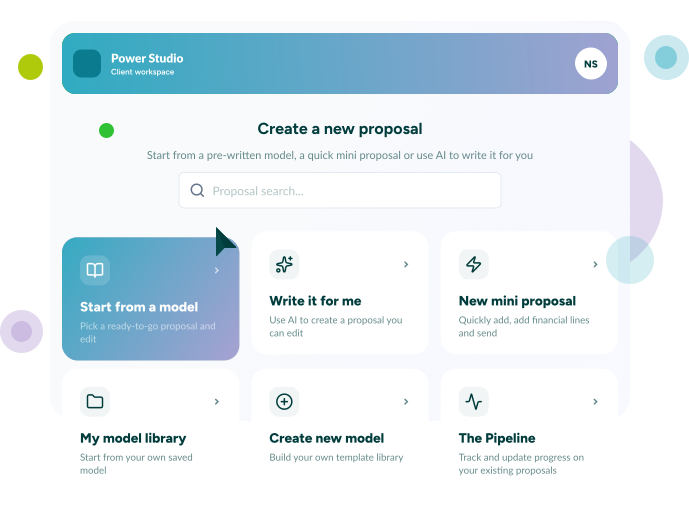
Build beautiful, high-converting proposals in minutes.
Use the systems AI-powered content creator, pre-written models, and a visual editor to create branded, polished proposals with pricing, visuals, and financials. All ready to send and sign online. Faster to create. Faster to approve. Faster to move forward.
Keep on movin' (forward)
It’s easy to lose momentum. There’s lots to remember. The Nettl System means no more lost quotes or forgotten follow-ups.
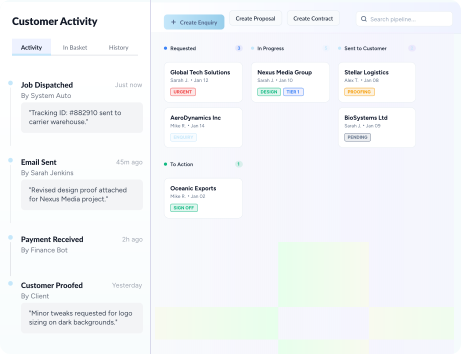
Access the pipeline that shows you exactly what’s happening.
Track every proposal from draft to done deal with a clear Kanban-style view. See what’s pending, approved, or needs attention and keep your sales flowing without guesswork.
Remember that “I think they’re going ahead” isn’t a strategy.
Know who, what & when
It’s hard to know it all without asking ten people for updates.
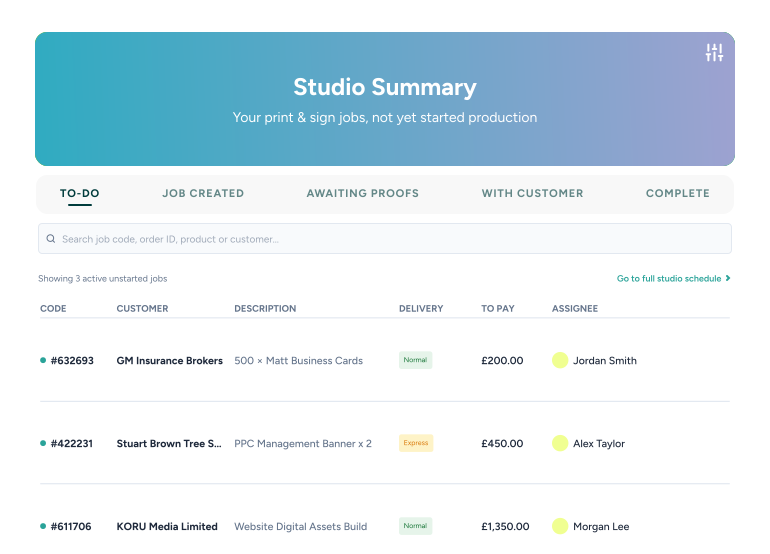
Use a real-time view of every job, every stage and every client to help.
The Studio Summary shows you what’s in design, at proof, awaiting feedback, in production, or ready to go including who’s responsible and what needs to happen next.
Total visibility. Zero confusion.

Nothing can stop us now
No more stuck jobs or unclear handovers. Use a visual workflow that keeps everything flowing. With the Control Desk, manage all your work-in-progress on a simple drag-and-drop Kanban board.
Progress jobs, assign tasks, and keep projects moving. Whether it’s print, web, or marketing. If it’s moving, you can see it.

Proofing without lifting a finger
Checking it once, checking it twice, Just stop. Stop worrying about costly mistakes too.
With automatic proofing, built into your process there’s less margin for error.
Upload files and let the system preflight, check for errors, generate proofs, and send them to clients for approval. All automatically. Less manual work. Fewer errors. Happier clients.

Take control
No. Not just of the job we mean the entire journey.
A production dashboard built for how you actually make things.
Manage every stage of production with digital job cards, checklists, approvals, and real-time updates. All in a visual, drag-and-drop interface.
From what to do, what’s next, who did want, when did they do it and.. oh its a finished product. It’s all there. For every job. Tracked. Signed. Sealed. Delivered.

Get paid, no chasing required
Let’s face it, that’s nobody’s favourite job.
Instead use automated invoicing and payment collection.
Generate self branded invoices for everything you do, send them automatically, collect payments via card or direct debit with your eyes closed, and sync everything with Xero or QuickBooks whilst you sleep. Or Nap. Or do something else. Do the work. Get paid. Simple.

Give clients the power
Not everything they want needs to come through you.
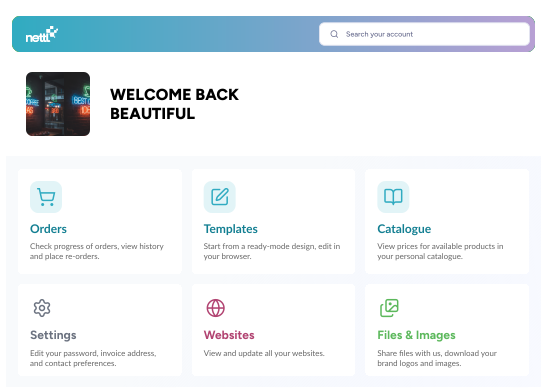
Client portals are self-service that actually helps you and your client
Let clients upload files, approve proofs, view invoices, and place orders through your branded portal while everything stays connected to your workflow. Less back-and-forth. More progress.
"Managing our database, file storage, reorders, invoicing and payment collections was time heavy. The Nettl System automates all of that, to free up time for billable work."
"Reducing admin has allowed me to focus on winning new clients."
"Since converting to Nettl I’ve doubled my turnover"
From proposal to payment. No gaps in between
The reality is that disconnected tools create disconnected businesses.
Everything works together, seamlessly. Quotes become jobs. Jobs become invoices. Payments get collected. And your entire workflow stays connected from start to finish.
Ready to scale without the chaos?